
Online Game Event Pblgamevent is a search phrase associated with PBL Game Vent, a website publishing gaming and esports content. However, the public pages reviewed do not establish a consistently verified, currently scheduled tournament with a confirmed registration destination, game lineup, and complete rules. If you want to participate, your first step is to identify a specific event announcement that provides those details.
That distinction can save you wasted preparation and confusion. Finding an article about a competition is different from finding an active competition you can enter.
This guide explains what the available information supports, which details still need confirmation, and how to prepare if you find a properly documented event.
What Is Online Game Event Pblgamevent?
The PBL Game Vent website describes its focus as gaming news, reviews, player strategies, and esports coverage. It also publishes pages using variations of the Pblgamevent event name.
Those pages do not all describe the same experience. Some discuss competitive tournaments, while another describes gaming activities built around collaborative projects and learning.
These formats serve different purposes. A tournament needs eligibility rules, match procedures, and scoring. A learning event needs an assignment, participation instructions, and a clear explanation of how work will be evaluated.
The name alone therefore does not tell you which experience is being offered. Before joining anything, identify the particular event, its organizer, and its current documentation.
Does PBLGamevent Mean Project-Based Learning?
One event-related page uses project-based learning to explain the concept. That does not establish it as the verified meaning of every PBLGamevent reference.
Avoid assuming an acronym’s meaning from an article that discusses only one interpretation. If an organizer is offering an educational activity, its event description should clearly explain the learning objective and expected outcome.
Why Are the Event Details Confusing?
The difficulty is not simply a lack of information. It is that the available information does not form one consistent event listing.
For example, one Pblgamevent event article refers to “Nexus Clash 2024” and a March 15 registration deadline. A separate event page describes registration opening on March 15 and closing on April 5.
Those references could concern different editions, but they do not establish one current registration window. A recently crawled page also does not make the event dates within it current.
As of October 31, 2026, the reviewed material was insufficient to confirm an upcoming edition.
The practical response is to request a dated announcement that ties the organizer, registration page, schedule, and rules together.
For a related explanation of checking unfamiliar gaming claims, see LootNexis’s guide to Gaming Updates LCFModGeeks.
What Should You Confirm Before Joining?
Treat the following as a decision checklist, not as confirmed PBLGamevent features.
| Detail | What you need to establish | Why it matters |
|---|---|---|
| Organizer | Who operates the event and handles questions | You need a responsible contact |
| Event edition | Full name, date, and year | Old announcements can remain online |
| Game and platform | Exact title, version, and supported devices | Similar game editions may be incompatible |
| Eligibility | Age, region, rank, and team requirements | An accepted form may not establish eligibility |
| Registration | A destination linked from the organizer’s announcement | Search results can lead to unrelated pages |
| Schedule | Check-in time, match time, and time zone | Registration and attendance are separate steps |
| Rules | Match format, scoring, disconnects, and disputes | Players need to know how decisions are made |
| Costs and rewards | Entry fees, refund conditions, and prize terms | Promotional statements may omit conditions |
A useful test is whether you can explain the event to a teammate without guessing.
If you cannot say what game you are playing, when you must arrive, or where the rules are published, you are not ready to commit.
Look for Consistent Information
Compare the announcement with the registration form and rulebook. The event name, dates, and organizer should match.
Where a detail differs, ask which document is authoritative. A written clarification is more useful than assuming the most recent social post overrides everything else.
Past brackets or recordings can provide context, but they do not prove that a new edition is open. Confirm the edition you actually intend to enter.
How to Approach Registration
A working registration process for a current PBLGamevent edition was not confirmed during this review. The steps below describe how to evaluate an event registration process once you find a documented announcement.
1. Start From the Organizer’s Announcement
Follow the registration link supplied by the identified organizer. Compare its destination with any link shared in a message or community channel.
A similar name or familiar logo is not enough to establish that two pages belong to the same operation.
If the announcement does not identify a registration destination, ask for it. Do not substitute an unrelated search result.
2. Check Eligibility Before Entering Details
Read the requirements before assembling a roster or paying an entry fee.
For a team competition, clarify whether eligibility applies to every player, whether substitutes are allowed, and when the roster becomes final. For a solo competition, check any account, rank, or qualification requirements.
Do not assume that beginners, international players, or all platforms are accepted unless the rules say so.
3. Provide Only the Information the Process Requires
A registration form may need an in-game name and a contact method. It should not need you to send your account password or authentication codes to another person.
If a form requests sensitive identity information, establish who collects it and why before proceeding. Use the organizer’s published contact route to resolve unclear requests.
4. Save Your Confirmation
Keep your registration confirmation, the rules you accepted, and any payment receipt.
Then check whether a separate attendance confirmation is required. Submitting a form and checking in for a match can be different actions.
Make one calendar entry for registration deadlines and another for check-in. This reduces the chance of treating the tournament’s broadcast time as your reporting time.
Understand the Format Before You Practice
Preparation becomes more useful when it matches the competition.
The following are common format definitions, not a verified description of PBLGamevent.
| Format | Basic structure | What to clarify |
|---|---|---|
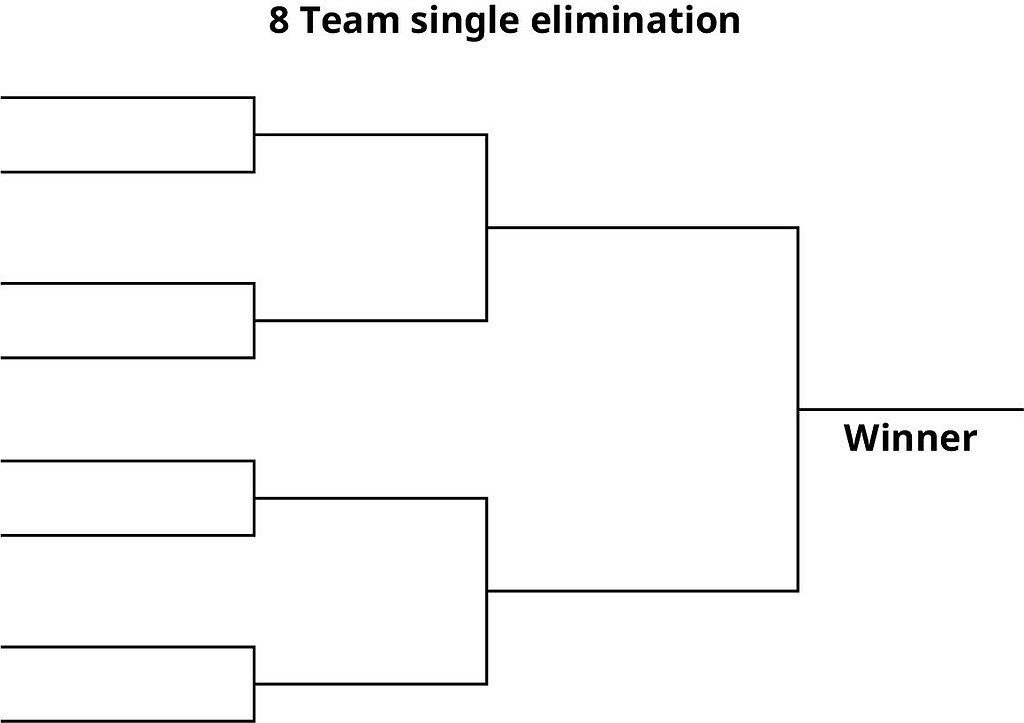
| Single elimination | A loss removes a player or team from the bracket | Match length and any placement matches |
| Double elimination | A second bracket loss generally ends participation | How the final is handled |
| Round robin | Entrants play the others in their group | Standings points and tiebreakers |
| Swiss | Opponents are generally paired by similar records across rounds | Number of rounds and advancement rules |
| Points-based challenge | Results contribute toward a score or leaderboard | Scoring formula and evidence requirements |
Also distinguish a game from a series. A best-of-three series, for example, requires two game wins to win the series.
Check whether players choose maps, alternate sides, or follow a fixed selection order. These details can affect preparation more than the promotional description.
For team events, agree who will communicate with officials and submit results. Assigning that responsibility beforehand prevents avoidable confusion.

Prepare Your Setup Once the Event Is Confirmed
You do not need to buy new equipment simply because an event advertises competitive play. Start by testing the setup you already use against the actual requirements.
Confirm Compatibility
Check the game edition, platform, account region, and any required software against the published rules.
Do not assume that owning the same game means every device can join the same competitive lobby. Ask for clarification where platform support is unclear.
Download required software through its developer’s established distribution channels. An unfamiliar attachment sent by a supposed tournament administrator deserves verification before installation.
Run a Realistic Practice Session
Test the game with the voice-chat application and other tools you expect to use during the event.
Use that session to check:
- Whether your microphone is understandable.
- Whether teammates can hear game audio through your microphone.
- Whether controls work consistently.
- Whether the game remains stable during a full match.
- Whether you understand how to join the required lobby.
Make changes early enough to test them. A last-minute settings overhaul can introduce a problem you have no time to diagnose.
For Linux-specific preparation, LootNexis’s Tech Hacks PBLinuxGaming guide discusses performance and compatibility considerations.
Record the Time Zone Explicitly
Keep the organizer’s original time alongside your local conversion.
If the schedule uses an ambiguous abbreviation, ask for the city or UTC offset. This is especially useful for teams spread across the United States, United Kingdom, and Canada, where seasonal clock changes can complicate assumptions.
Allow time for check-in, lobby setup, and any instructions before the first match.

Protect Your Account From Tournament Invitation Scams
Uncertainty about PBLGamevent does not prove that it is a scam. However, tournament-themed phishing is a documented risk worth recognizing when evaluating any invitation.
Steam’s tournament scam guidance describes messages that invite players to join a team, sometimes with promised compensation or pressure to act quickly. The invitation may lead to a fake login page or malicious software.
An invitation arriving from a familiar account is not sufficient reassurance. Confirm unusual requests through another established contact route.
Be Careful With Login QR Codes
A QR code can initiate an account login rather than simply open an event page.
Discord’s QR code login guidance advises users not to approve login attempts they did not initiate. If scanning an event-related code unexpectedly opens a login approval screen, cancel it.
Do not share passwords, backup codes, or account tokens with an organizer. Those credentials provide access to your account; they are not proof of tournament eligibility.
Can You Watch PBLGamevent Without Competing?
A current, verified broadcast destination was not established in the reviewed material. If a future announcement provides one, confirm that the channel is linked from the organizer’s event page.
Check whether a video is a live broadcast, a scheduled stream, or a replay. An old recording can still appear prominently in search results.
For viewers, the most useful details are the broadcast time, commentary language, match schedule, and replay availability. These should be confirmed separately from player check-in instructions.
Are Viewer Rewards Guaranteed?
No PBLGamevent-specific viewer reward campaign was verified for this guide.
Twitch’s explanation of Drops describes rewards tied to participating campaigns and their requirements. Watching an arbitrary gaming stream does not establish eligibility for a reward.
If an event advertises Drops, check the campaign and participating channel within Twitch. Follow the campaign’s account-linking and claiming instructions rather than a reward link posted by an unknown chat account.
Troubleshooting Registration and Match Access
Use these checks for a documented event. They are general troubleshooting guidance, not evidence that a particular PBLGamevent system exists.
The Registration Page Is Missing or Closed
Check the event year and registration deadline first. The page may refer to a past edition.
Return to the organizer’s announcement for updates. Avoid entering information on a replacement page unless the organizer identifies it.
You Submitted a Form but Received No Confirmation
Check spam folders and confirm the email address you entered. If the registration platform provides an account dashboard, look for your entry there.
Contact the organizer before submitting payment again. A missing email does not tell you whether the first transaction or registration succeeded.
You Cannot Join the Lobby
Compare the game version, region, platform, and lobby details with the instructions.
Capture the error message and contact the designated official promptly. Explain what you tried so the official can distinguish an access problem from a missed check-in.
Your Game Disconnects During a Match
Follow the published disconnect procedure. Do not assume that restarting creates an automatic right to a replay.
Record the relevant time and any available error evidence. Ask the official how to proceed before treating the match as abandoned.
A Result Is Incorrect
Use the event’s dispute channel and submit the evidence its rules require. Keep your report factual: identify the match, the reported result, and the correction you are requesting.
Avoid sharing private account information in a public dispute.
Frequently Asked Questions
Is there a confirmed PBLGamevent mobile app?
This review did not establish a verified standalone event app. Do not treat an app or APK using a similar name as official without a clear connection to the identified organizer.
Does PBLGamevent require a paid subscription?
A current subscription requirement was not confirmed. Distinguish a subscription from a one-time entry fee, and read the relevant payment terms before proceeding.
Can I join without an existing team?
That depends on the specific event’s rules. Look for solo registration, a team-finding channel, or an organizer-approved process for filling roster places. Do not assume that submitting an individual form guarantees placement.
What if the schedule changes after I register?
Check which communication channel the organizer designates for updates. If the new time prevents attendance, ask about withdrawal or refund options under the published terms.
Does the name imply an affiliation with a game publisher?
No. A gaming name, logo, or article mentioning a publisher does not establish an official partnership. Look for confirmation from the publisher when that relationship matters to your decision.
Conclusion
The most useful next step is to find one complete, dated event announcement. It should connect the organizer, rules, schedule, and registration destination without requiring you to fill in the gaps.
Until that documentation is available, treat PBLGamevent’s event descriptions as claims that need clarification. Once an event is confirmed, you can focus on preparing your setup, understanding the format, and enjoying the competition.